macOS APP FREE OPEN SOURCE
WindowToggle logo - macOS window switcher

WindowToggle

Switch back. Instantly.

macOS window switcher. One shortcut. Just return to the window you were just in.
macOS 13 Ventura or later – Free forever

Pure Toggle

No switcher UI. No thumbnails. Just instant.

Any App

Works across apps, not just same-app windows.

Customizable Shortcut

Set any key combo in Preferences.

How It Works

01

Download

Download the DMG and open it.
02

Install

Drag WindowToggle to Applications.
03

Open Terminal & Enter

xattr -dr com.apple.quarantine /Applications/WindowToggle.app
04

Open App & Grant Access

Allow Accessibility in System Settings > Privacy & Security.
05

Set Shortcut

CTRL-W is default or change your shortcut in Preferences.
06

Switch

Press your shortcut. Jump back instantly.
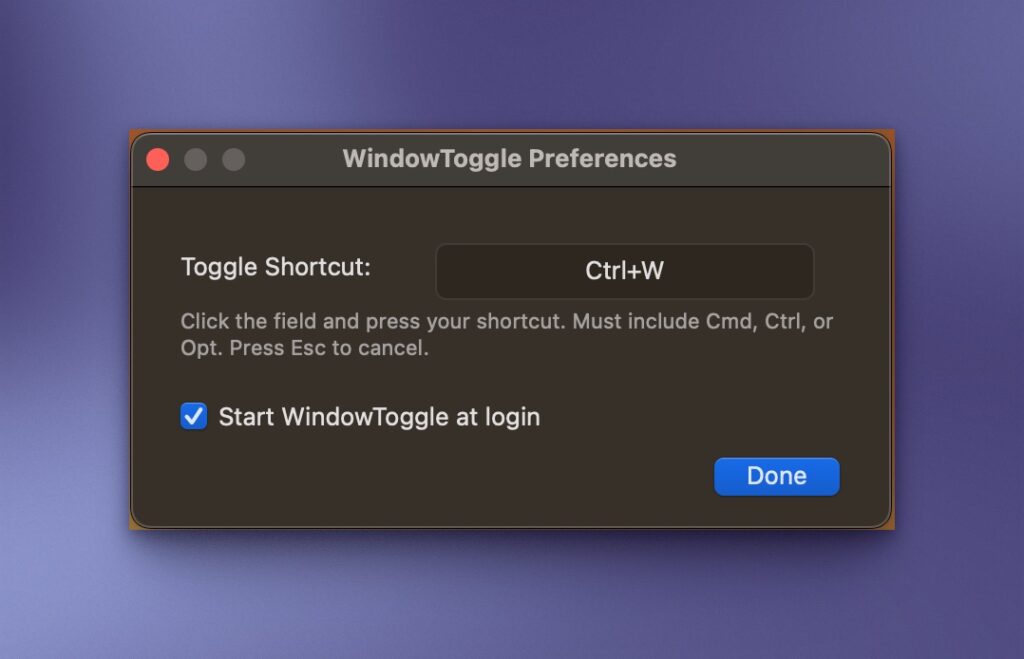
WindowToggle Preferences

Built With

Swift + AppKit Accessibility API Carbon Events Sparkle ServiceManagement

FAQ

Does WindowToggle appear in the menu bar?
WindowToggle menu bar icon
Yes. Look for these two arrows in your menu bar for reaching WindowToggle preferences and updates.
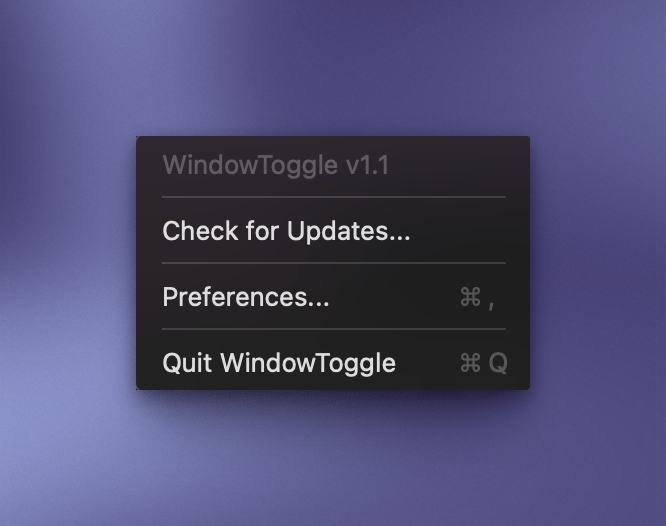
Just click the WindowToggle menu bar icon to reach these options: Check for updates, Preferences and Quit WindowToggle
WindowToggle Preferences
Yes. Reach this preference screen from the menu bar icon to change the default shortcut and to activate WindowToggle on login.

CTRL-W

WindowToggle is free and open source and distributed outside the Mac App Store. Apple requires apps to be notarized through a paid developer account before macOS will open them without a warning. Since WindowToggle is free with no revenue to offset that cost, we skip that step and ask you to run one Terminal command instead. You only do it once. It simply tells macOS that you trust this app and want to open it. The app itself is safe — the full source code is available on GitHub for anyone to review.
xattr -dr com.apple.quarantine /Applications/WindowToggle.app
Cmd+Tab switches apps. WindowToggle switches to the exact previous window regardless of app, with one shortcut and no picker UI.
Alt-Tab shows a visual switcher with window previews. WindowToggle skips the UI entirely — one shortcut, instant switch, no picker, no thumbnails.
No. Accessibility only. Nothing invasive.
macOS 13 Ventura or later.
Yes. Free forever. Open source on GitHub
Yes.
WindowToggle logo - macOS window switcher

Toggle like it should work.

Free forever. No account. No screen recording.
If macOS blocks the app, go to System Settings > Privacy & Security > Open Anyway.
Skip to content